Troubleshooting
Activation Issues
If you are experiencing activation or login issues, please review our full activation troubleshooting guide:

Activation Issues
Topaz Video Specific Activation Issues
Special or Non-ASCII Characters in Password
Some special or non-ASCII characters in your password may cause activation errors.
If you are unable to log in:
- Change your password from the Change My Details page in your Topaz Labs account.
- Use only standard alphanumeric characters (A–Z, a–z, 0–9).
- Avoid accented characters, symbols, or non-English characters.
- Restart the app after changing your password and try again.
We are actively working on improving support for special characters in future updates.
“Continue” Button is Greyed Out
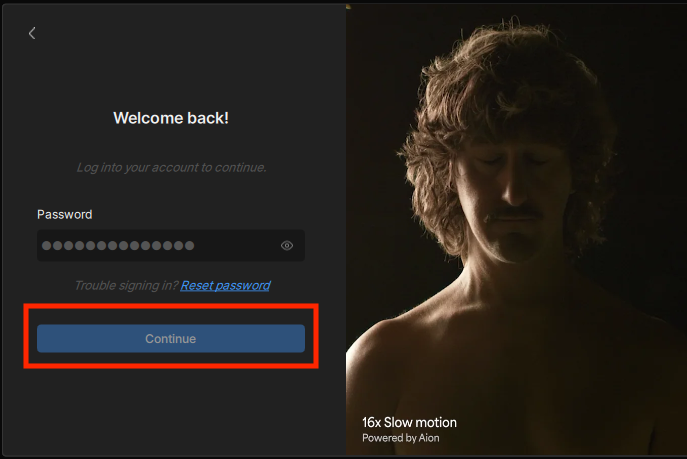
If the Continue button is disabled during activation:
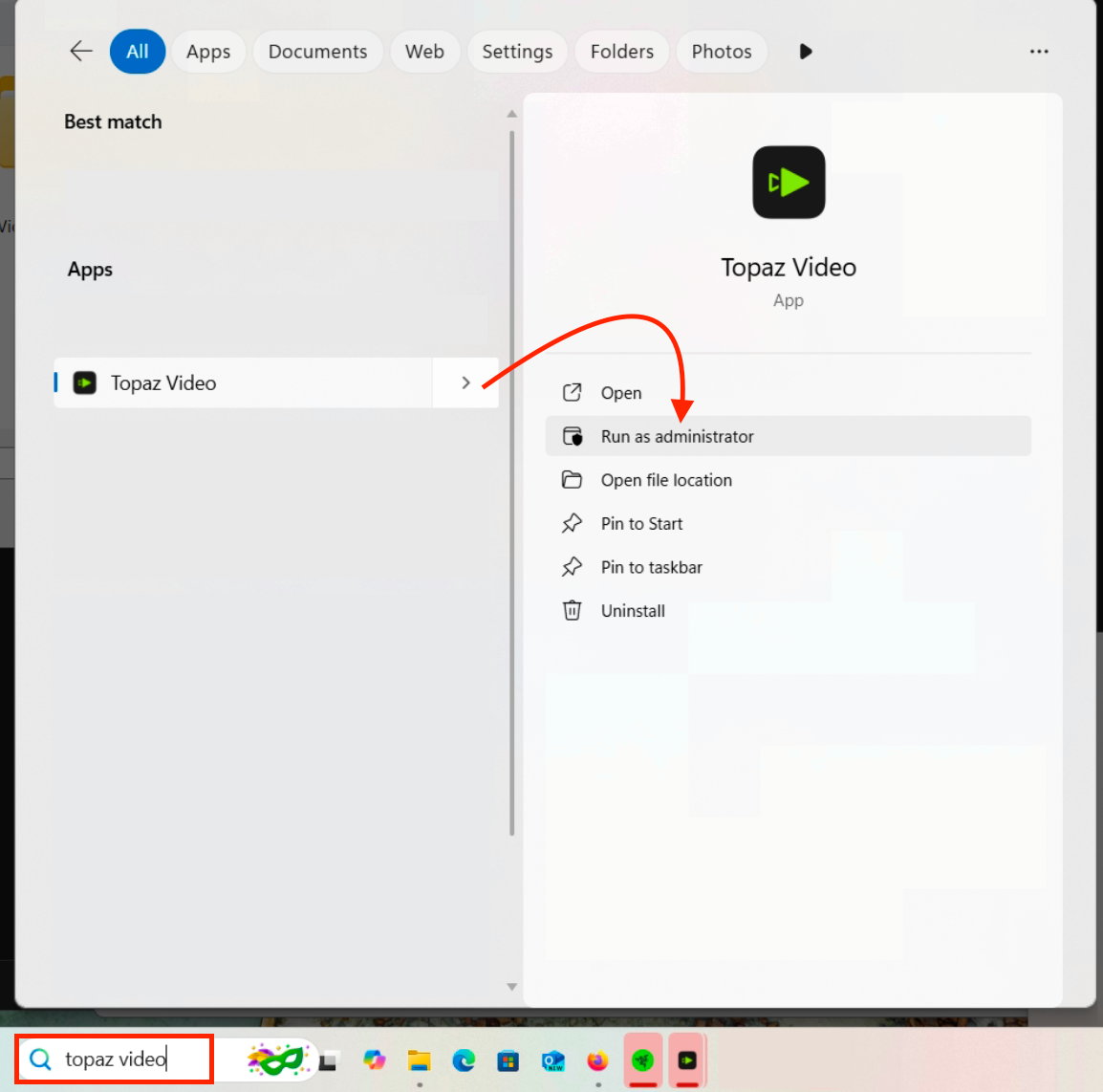
Run the app as Administrator:
- Make sure Topaz Video is fully closed.
- Click the Windows search bar.
- Search for Topaz Video.
- Right-click the app.
- Select Run as administrator.
- Attempt activation again.
Known Issues/Hardware-Specific Notes
- Topaz Labs and Intel are working on improving performance and stability with ARC graphics cards. We recommend using the latest driver from Intel to ensure you are working with the newest improvements.
Processing Errors
- Restart the app
- Check for updates. Updates often include bug fixes and improvements.
- Make sure your computer meets our system requirements.
Out-of-Memory Error
- Reduce the number of other apps you are using.
- Reduce the number of filters you are using and/or reduce the number of files you are processing.
- Select File > Preferences (Mac Topaz Video > Preferences) and lower memory usage.
Model Downloading Error
Check for connection blockers, i.e. VPN, proxy, firewall, anti-virus, or Windows Defender / Windows Defender SmartScreen
- Turn each one off momentarily and then try again.
- If that works, add the app to a list of accepted products within the anti-virus software.
Still having issues? Contact our support team. Please attach your system profile and your logs.
Sharing Your System Profile
To gather logs
- Select Help > Logging and make sure that there is a checkmark next to Logging.
- Recreate the issue.
- Help > Logging > Get Logs for Support and attach the zip file to your reply.
Avoid Moving Default App Folders
Moving default app folders from their original locations is one of the most common causes of file path errors, missing models, and project issues in Topaz Video. To ensure the app runs smoothly, we strongly recommend keeping the following folders in their default locations.
Project Files
Windows: C:\Users\[Username]\Documents\Topaz Video Projects
Mac: Documents > Topaz Video Projects
Moving your project folder or saving .tvai project files outside of their default location can cause the app to lose track of file references, leading to errors on launch or during processing.
Models Folder
Windows: C:\ProgramData\Topaz Labs LLC\Topaz Video\models\models\
Mac: /Applications/Topaz Video.app/Contents/Resources/models
Moving the models folder can prevent the app from locating or loading AI models, resulting in export errors.
Reinstalling After Moving Folders
If you have already moved any of these folders and are experiencing issues, we recommend performing a clean reinstall of the app to allow it to recreate the default folder structure from scratch.
Bug Reporting
To report a bug for Topaz Labs, follow these steps:
- Check the forums to see if the issue has already been reported and resolved.
- Create a support ticket: If you are unable to find a solution, please send us a message.