Access Previous Orders And Invoices
Access Previous Orders and Invoices
You can view your past purchases and download invoices directly from the Studio Account Page.
To access your invoices:
- Sign in to your Topaz account.
- Open the Studio Account Page.
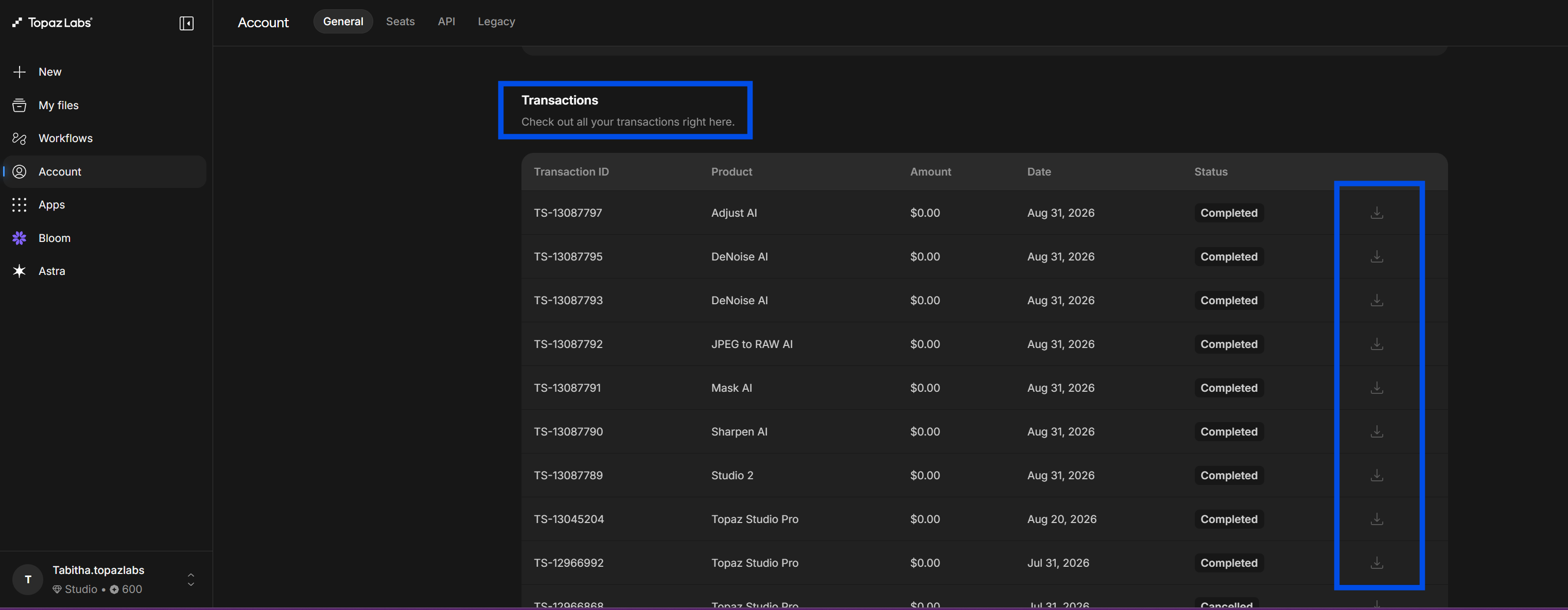
- Scroll down to the Transactions section.
- Locate the order you need.
- Click the download icon on the right-hand side of the transaction row to download your invoice.
This section displays your order history, transaction status, and available invoice downloads in one place.