Managing Your Subscriptions
Cancel a Subscription
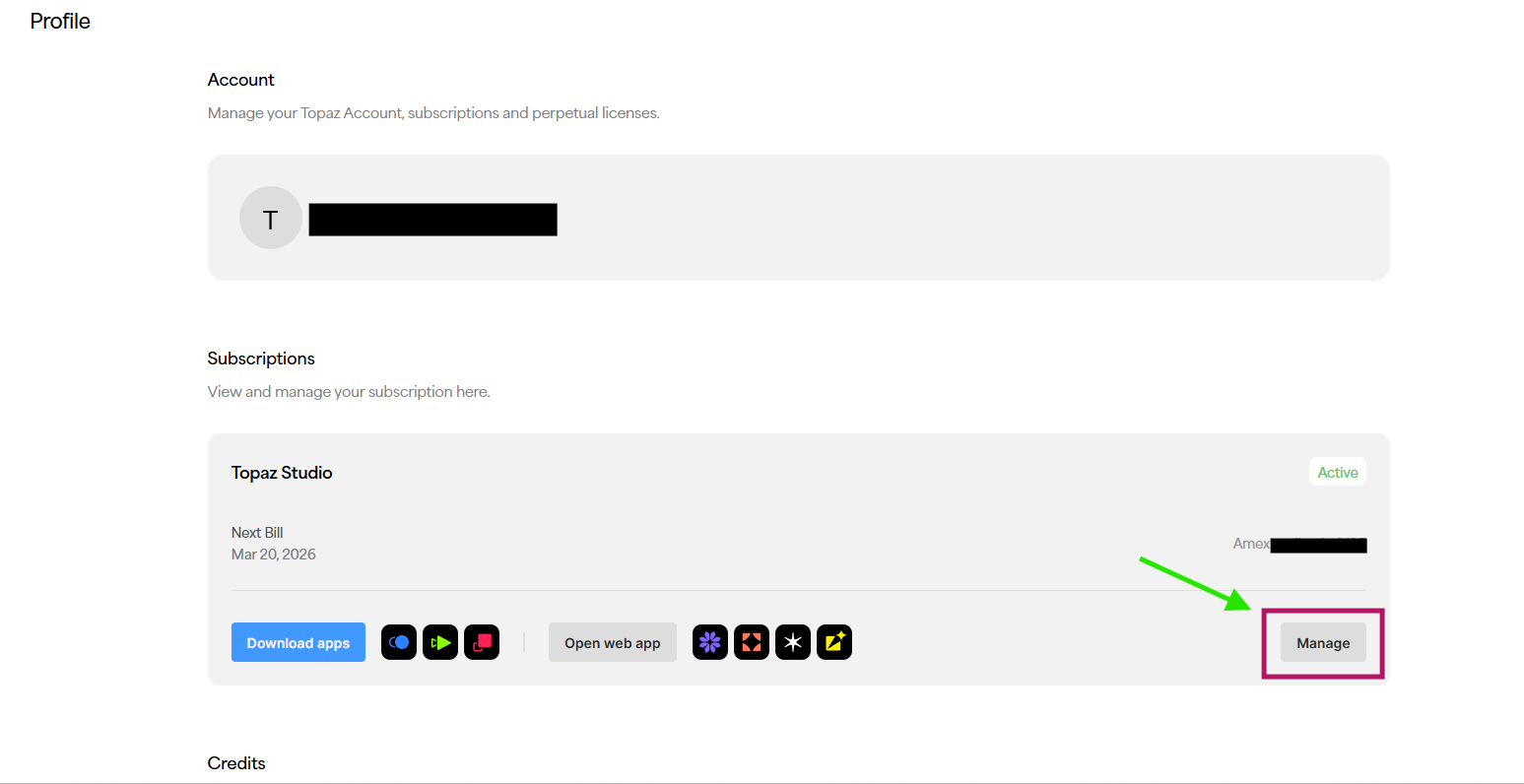
Subscriptions are managed directly from the Studio Account Page.
Please follow the steps below:
- Sign in and open the Studio Account Page.
- In the Subscriptions section, locate your active plan.
- Click Manage on the right side of the subscription card.
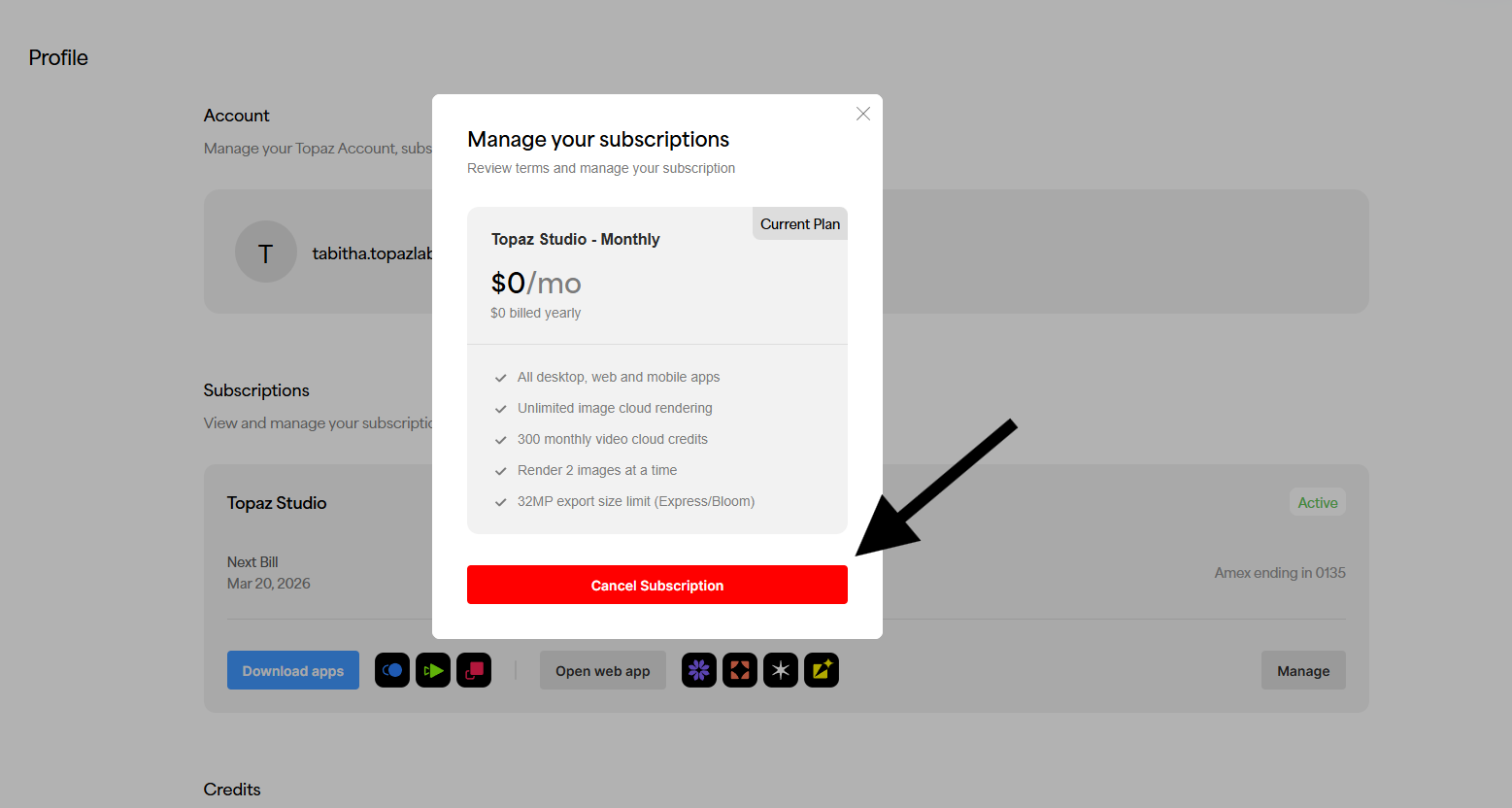
- In the subscription panel, click Cancel Subscription.
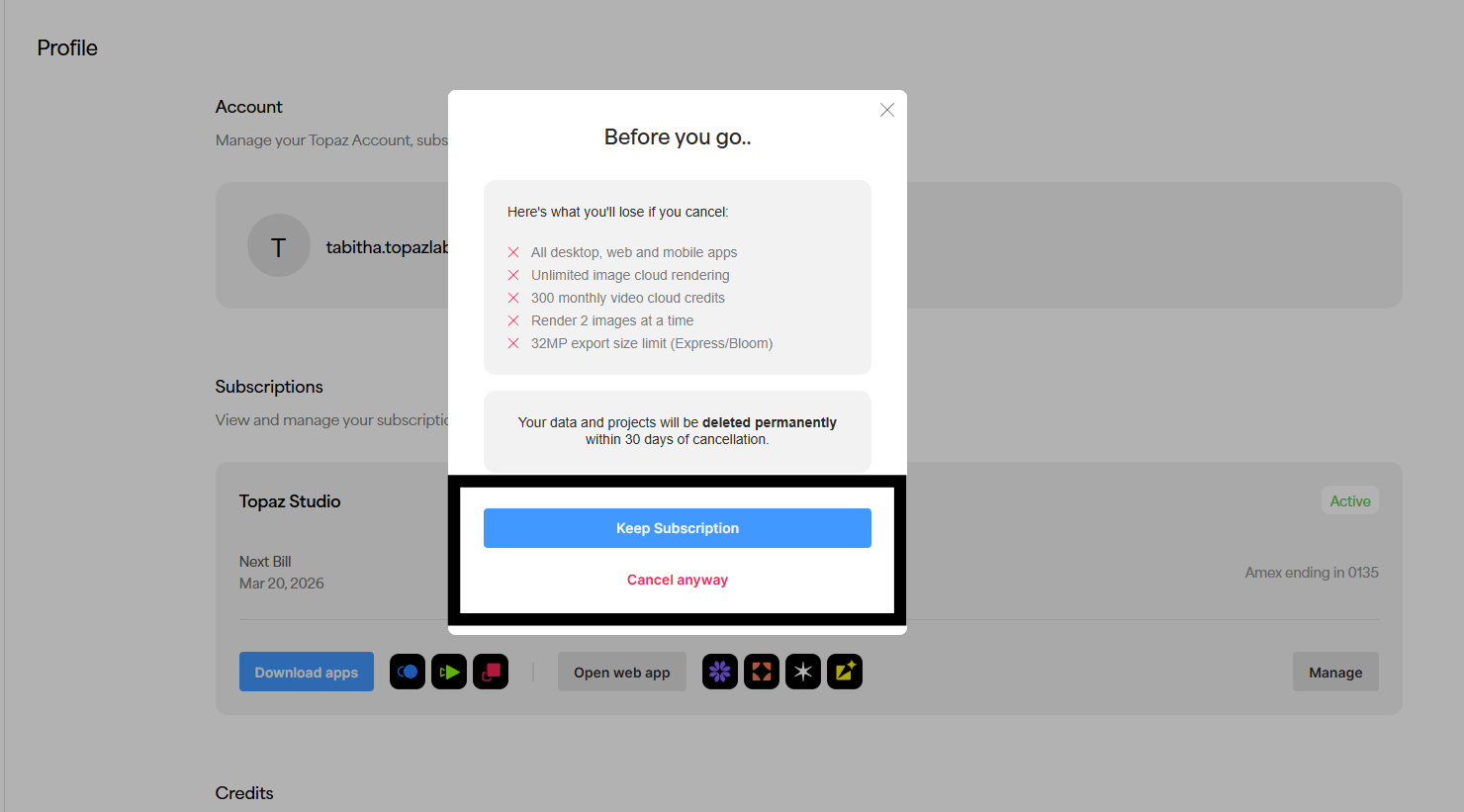
- Review the confirmation screen and select Cancel anyway.
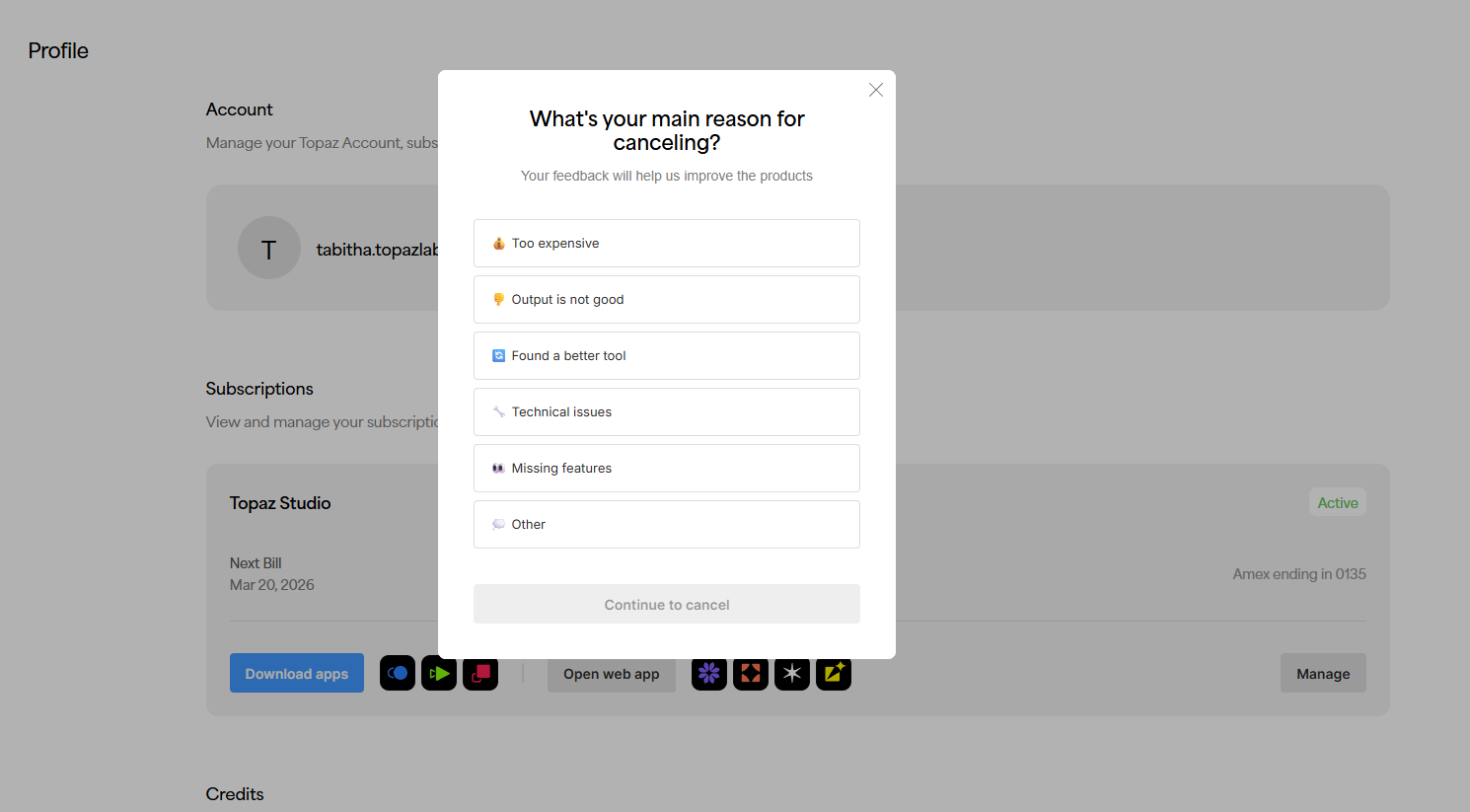
- Choose a cancellation reason and continue.
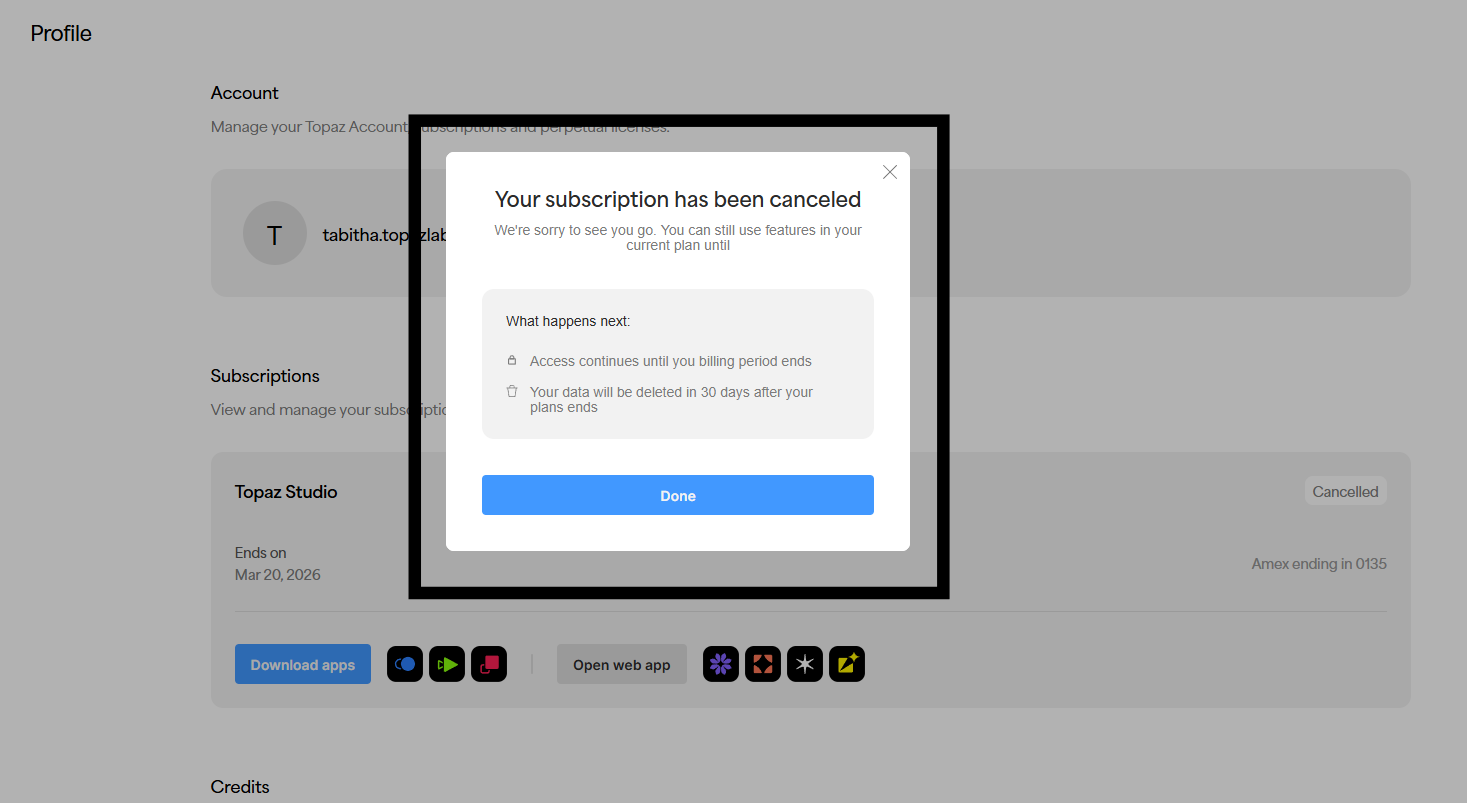
- When you see the confirmation message, click Done.
Your subscription status will update to Cancelled, and access will continue until the end of the current billing period.
Important notes:
• Cancellation is currently supported for annual (paid upfront) and month-to-month plans.
• This cancellation flow does not apply to Annual Billed Monthly plans.
• After cancellation, the subscription cannot be resumed. If you want access again later, you will need to purchase a new plan.