Photo AI vs Topaz Photo
Both apps use AI to improve image quality, but they belong to different generations of Topaz products and have distinct licensing and system architectures.
This page explains the key differences between the two apps and answers frequently asked questions to help you understand how they compare and which best fits your workflow.
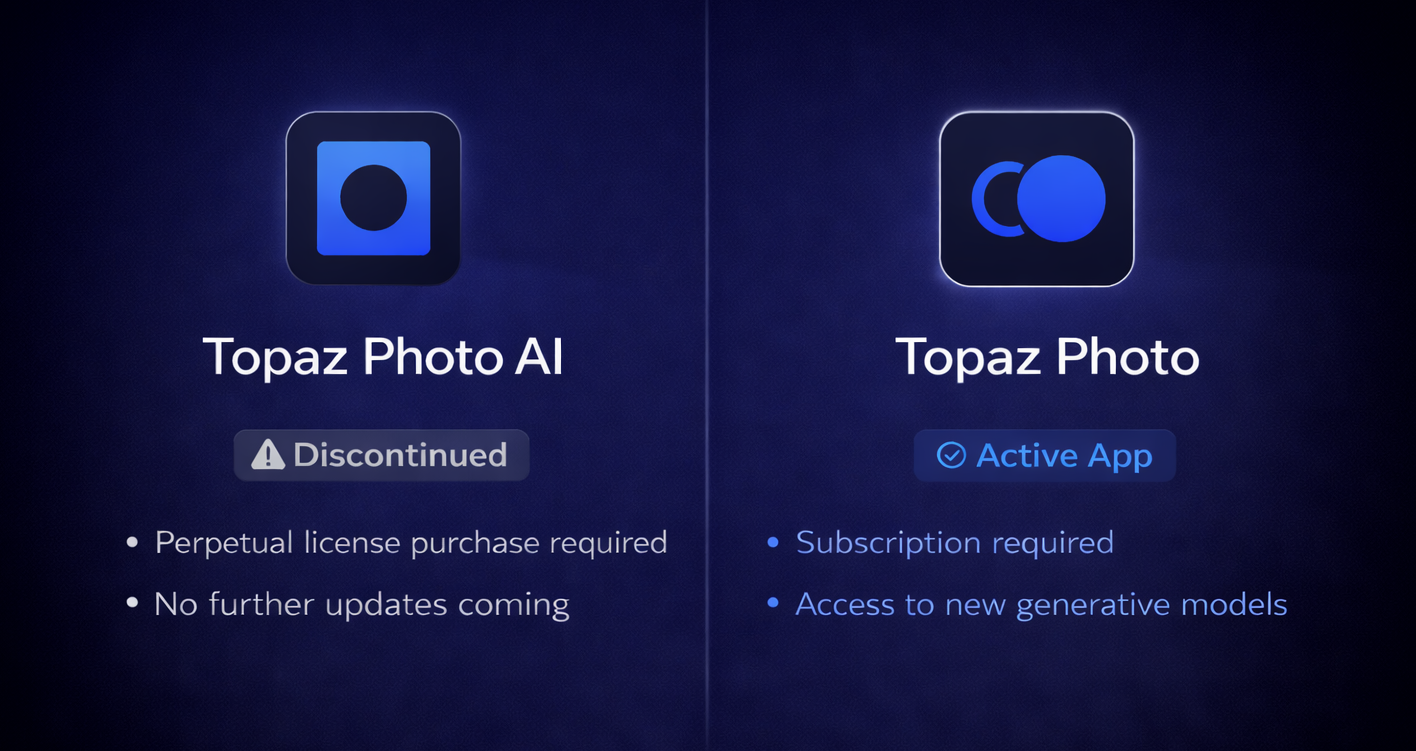
Status
⚪ Topaz Photo AI:
- Discontinued, Legacy app
- No model updates will be released
- Photo AI v4.0.4 is the final version
🔵 Topaz Photo:
- Ongoing updates and development
- See all Releases here
- Latest version is available here in our Downloads Page
- No AI in naming.
- Plugin naming will show as: Topaz Photo (Studio)
Installers
⚪ Topaz Photo AI:
- Installer available from your Account page, Legacy Section
- A stable high-speed internet connection is required for installation and Cloud Processing
🔵 Topaz Photo:
- Installer available from your Account page and Apps Page
- A stable high-speed internet connection is required for installation, updates and Cloud Processing
Licensing & Ownership
⚪ Topaz Photo AI:
- A Topaz Photo AI license gives you ownership of a specific version. Your Account > Legacy page will confirm which Photo AI version you own
- Photo AI v4.0.4 is the final version and will not be updated further
- Can be used on 2 computers simultaneously
- Authentication is needed every 6 months, allowing 6 months of offline use
🔵 Topaz Photo:
- Subscription-only app. Requires a paid subscription. Once paid time lapses, it requires an active renewal to keep access to the app
- You can check your current subscription(s) here: Subcription Page
- Can be used on 1 computer at a time
- Authentication is required monthly to verify subscription status, allowing up to 1 month of offline use
AI models
⚪ Topaz Photo AI:
- No new models will be released as it is discontinued
- See Full list here of models available in Photo AI v4.0.4 (final version)
🔵 Topaz Photo:
- Includes all models from Photo AI plus additional newer models:
- Adjust Lighting v3
- Denoise Max
- Dust and Scratch v2
- Grain
- Healing Tool
- Recover Faces v3
- Remove v2
- Sharpen (3 new models): Sharpen Noise-Aware, Sharpen Portrait, Sharpen Wildlife
- Super Focus v3
- Upscale (3 new models): High Fidelity v3, Recover v3, Standard Max
- Wonder (4 new models): v1, v2, v3 and v3.5 - See All models explained here
- Ongoing development for new models
System Requirements
⚪ Topaz Photo AI:
- System Requirements
- Not supported on Snapdragon/ARM processors
- Discontinued in September 2025, it will not be optimized or updated for newer OS updates or new systems
🔵 Topaz Photo:
- System Requirements
- Supported on Snapdragon/ARM processors
- Will continue to be optimized and updated to support newer OS updates and new systems
Cloud Rendering
⚪ Topaz Photo AI:
- Available models for Cloud Rendering: Super Focus v1, Dust and Scratch
🔵 Topaz Photo:
- Available models for Cloud Rendering: Super Focus v1 and v2, Dust and Scratch, Standard Max, Recover v3, and Wonder v1 and v2
Frequently Asked Questions
Q: "Can I still use Photo AI ?"
A: Yes. You can download your owned ⚪ Topaz Photo AI installer from the Legacy Section of your Account page.
Q: "Why am I asked to subscribe when I have a licence?"
A: To access 🔵 Topaz Photo, you need an active subcription to this app.
- If you already have a subcription to 🔵 Topaz Photo, ensure to log in using the email used at purchase.
- To purchase a subscription, see the Pricing page. There are Single Apps options, Desktop Collection options or the full Studio offering, depending on your needs.
If you have a ⚪ Topaz Photo AI license, and no subscription to the new app:
- You can uninstall 🔵 Topaz Photo and go in your Accounts Page > Legacy section and find the installer for your owned ⚪ Topaz Photo AI version.
- At login, make sure you login using the email used at purchase.
Q: "Why am I in Trial mode?"
A: Trial mode will occur in the ⚪ Topaz Photo AI app for one of these reasons:
- If using incorrect email and/or password: Make sure you use the email used at purchase. You can contact us if you need help locating the purchase or reset your password.
- If using the ⚪ Topaz Photo AI app when you are owner of the new 🔵 Topaz Photo app: Uninstall the Legacy app and install the new app from your Apps page.
Q: "Is Topaz Photo a free upgrade?"
A: No, the 🔵 Topaz Photo app is part of a subscription-only model. There are Single Apps Subcription options, Desktop Collection options or the full Studio offering, depending on your needs. You can see Pricing options here.
Q: "Where can I find plugin setup steps?"
A: Plugins will install automatically. If the plugin path is missing: Make sure all programs are closed, then run the Topaz installer for your app, and the plugin paths will automatically install in your host program.
Q: "Which one should I use?”
A: This depends on your workflow needs and whether you prefer to continue using your perpetual Photo AI license or Subscribe to access the newer app.
Use ⚪ Topaz Photo AI if:
- You’re on older hardware
- You mainly need denoise, sharpen, and basic upscaling
- You do not want a subscription or renewal
Use 🔵 Topaz Photo if:
- You want access to the newest generative models
- You’re working on modern hardware and want the latest AI features
You are not required to switch. If ⚪ Topaz Photo AI already meets your needs, you can continue using it. Topaz Photo is an additional option for users who want the newer models and workflows.
Q: "Why does Photo AI show as “Expired” even though I can still use it?"
A: “Expired” only refers to updates, not access. ⚪ Topaz Photo AI is a perpetual license app, which means you own the version you purchased and can continue using it as long as you like. It shows as “Expired” because the app is discontinued and no longer receives updates.
Contact Support
See the Troubleshooting pages below for common issues and fixes.

Account | Troubleshooting page

Topaz Photo | Troubleshooting page
If you still have issues or questions, contact us at support@topazlabs.com and provide us these details:
- Email address associated with your Topaz Account and purchases
- Questions you have or details on the activation/installation/app issues happening
- Screenshots of any error messages