Oracle Enterprise Manager
Configuration Steps
Setup Oracle Enterprise Manager as IdP (Identity Provider)
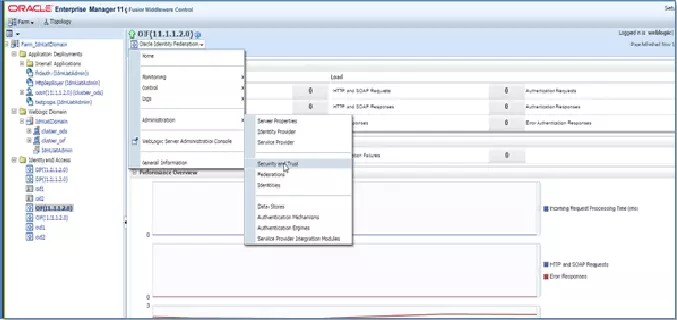
- Login to your Oracle Enterprise Manager (OEM) Console. From Side Menu Go to Identity and Access Oracle Identity Federation (OIF).
- Select the Oracle Identity Federation dropdown from top. Go to Administration Service Provider.
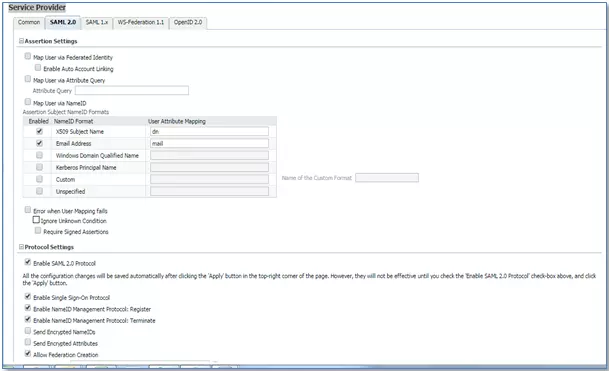
- In the Service Provider Section, Select the SAML 2.0 tab.
- Check Map User via NameID.
- Under Protocol Settings, check Enable SAML 2.0 Protocol.
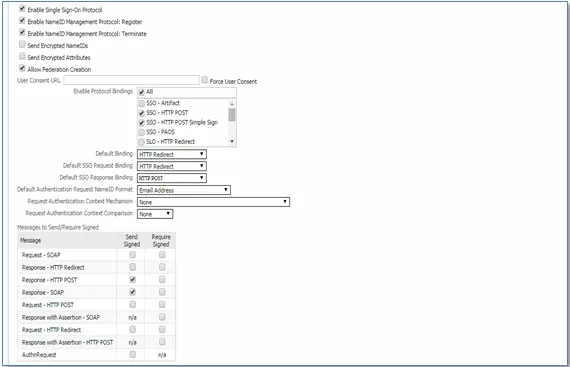
- Configure the additional SAML settings.
- Now, Select the Oracle Identity Federation dropdown from top. Go to Administration Security and Trust.
- Navigate to the Provider Metadata tab.
- Select Identity Provider in Provider Type dropdown and click generate button to download IdP metadata.
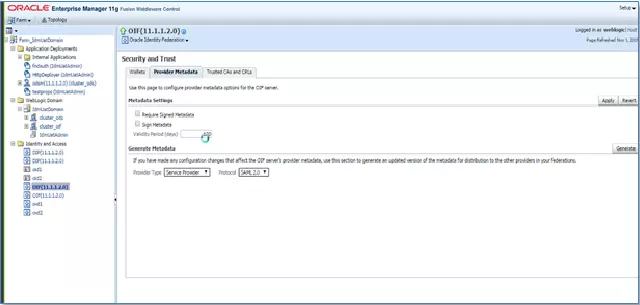
- Provide the downloaded metadata to Topaz Labs.
You have successfully configured Oracle Enterprise Manager as SAML IdP (Identity Provider).