OneLogin
Configuration Steps
Setup OneLogin as IdP (Identity Provider)
- Go to OneLogin, enter your domain and Login into OneLogin.
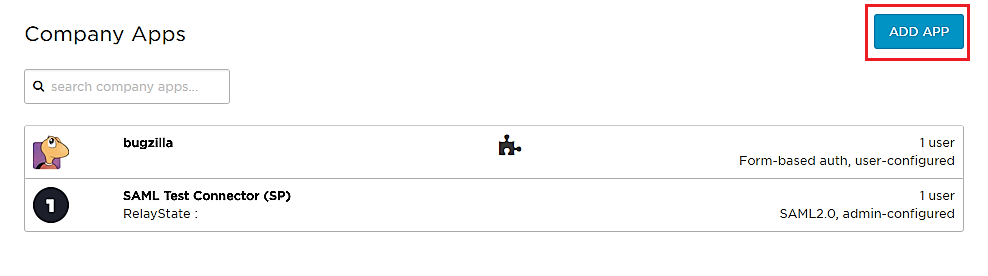
- Log into OneLogin as an Administrator and go to Apps Company Apps Add Apps from the Navbar.
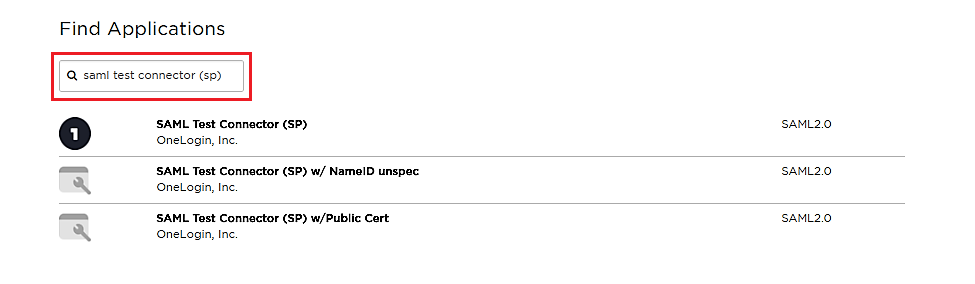
- In the search box, type SAML Test Connector (SP) and click on the App to add it.
- Enter the display name and click Save.
- In General Settings, enter App Name and click on Next.
- After saving, go to Configuration Tab and enter the following:
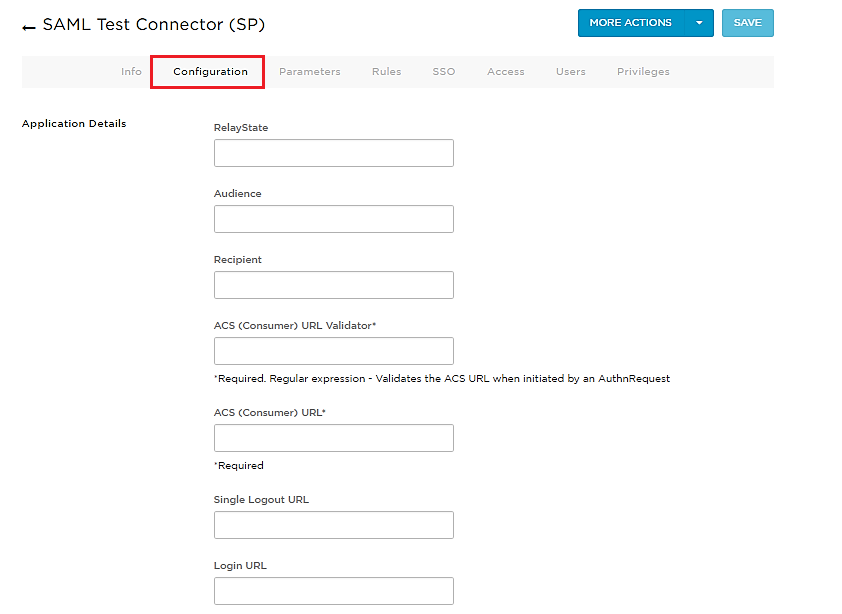
Audience
Provide Audience URL from the Topaz Labs metadata
Recipient
Provide Recipient URL from the Topaz Labs metadata
ACS (Consumer) URL Validator
Provide ACS (Assertion Consumer Service) URL from the Topaz Labs metadata
ACS (Consumer) URL
Provide ACS (Assertion Consumer Service) URL from the Topaz Labs metadata
Single Logout URL
Provide Single Logout URL from the Topaz Labs metadata
- Click on Save.
Assigning Groups/People
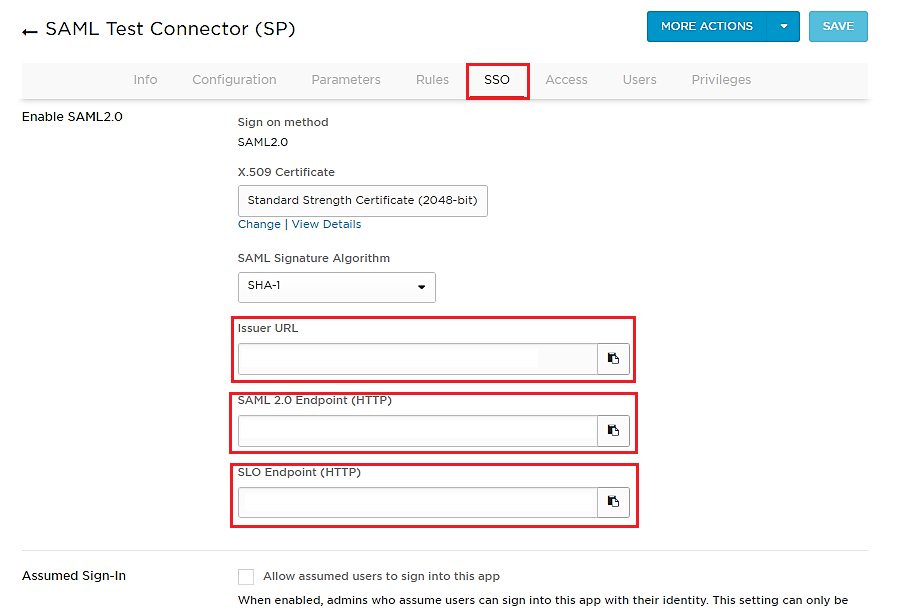
- Go to SSO tab. Note down the URL/Endpoints. These will be required while configuring the plugin.
You have successfully configured OneLogin as SAML IDP for achieving secure OneLogin Login.