Gigapixel AI vs Topaz Gigapixel
Both apps use AI to improve image quality, but they belong to different generations of Topaz products and have distinct licensing and system architectures.
This page explains the key differences between the two apps and answers frequently asked questions to help you understand how they compare and which best fits your workflow.
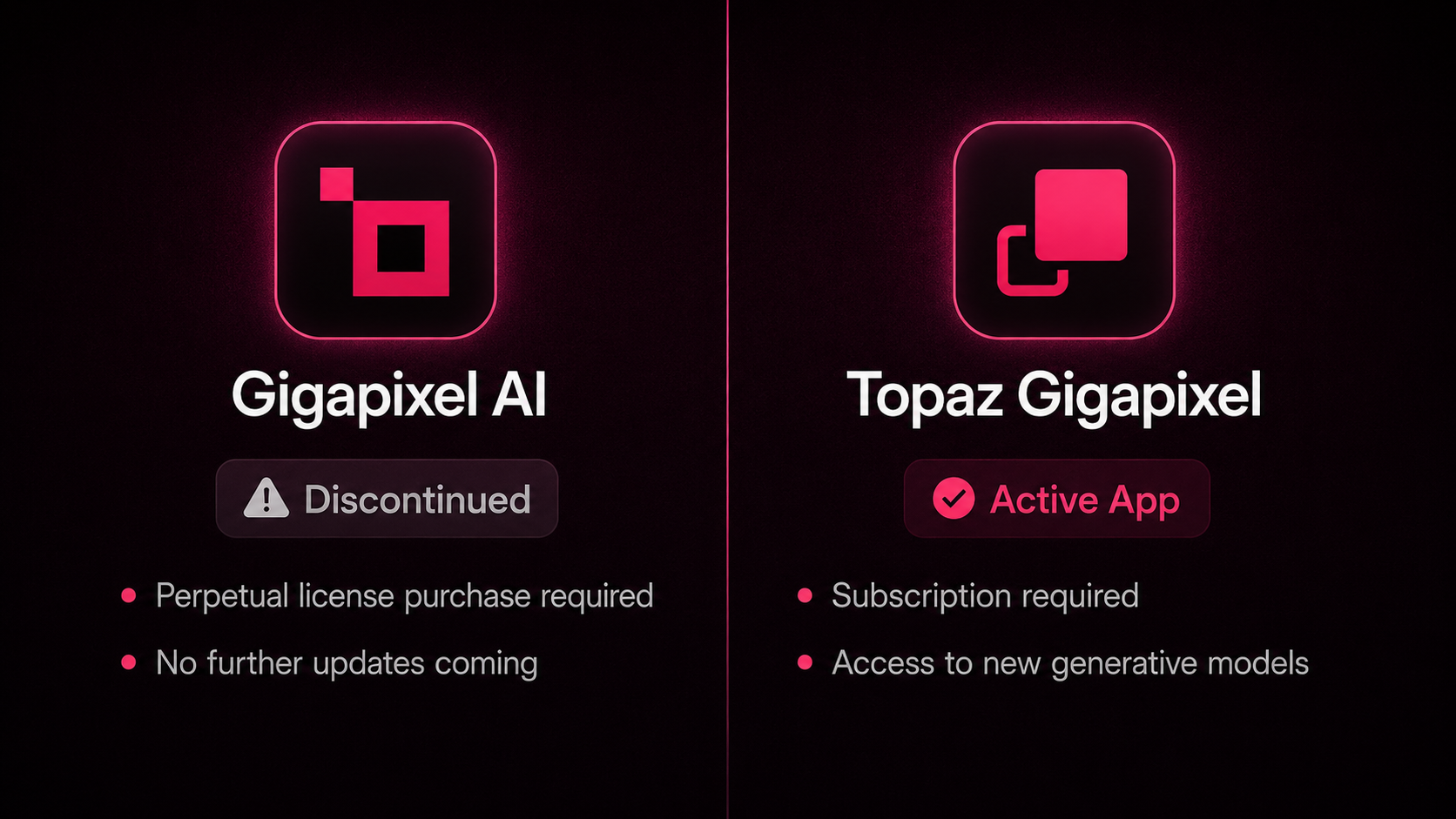
Status
⚪ Topaz Gigapixel AI:
- Discontinued, Legacy app
- No model updates will be released
- Gigapixel AI v8.4.4 is the final version
🔴 Topaz Gigapixel:
- Ongoing updates and development
- See all Releases here
- Latest version is available here in our Downloads Page
- No AI in naming.
- Plugin naming will show as: Topaz Gigapixel (Studio)
Installers
⚪ Topaz Gigapixel AI:
- Installer available from your Account page, Legacy Section
- A stable high-speed internet connection is required for installation and Cloud Processing
🔴 Topaz Gigapixel
- Installer available from your Account page and Apps Page
- A stable high-speed internet connection is required for installation, updates and Cloud Processing
Licensing & Ownership
⚪ Topaz Gigapixel AI:
- A Topaz Gigapixel AI license gives you ownership of a specific version. Your Account > Legacy page will confirm which version you own
- Gigapixel AI v8.4.4 is the final version and will not be updated further
- Can be used on 2 computers simultaneously
- Authentication is needed every 6 months, allowing 6 months of offline use
🔴 Topaz Gigapixel:
- Subscription-only app. Requires a paid subscription, monthly or annual. If the subscription is cancelled, access to the app is revoked.
- You can check your current subscription(s) here: Subcription Page
- Can be used on 1 computer at a time
- Authentication is required monthly to verify subscription status, allowing up to 1 month of offline use
AI models
⚪ Topaz Gigapixel AI:
- No new models will be released as it is discontinued
- See Full list here of models available in Gigapixel AI v8.4.4(final version)
🔴 Topaz Gigapixel:
- Includes all models from Gigapixel AI plus additional newer models:
- High Fidelity V3
- Wonder (4 new models): v1, v2, v3 and v3.5
- Standard Max
- Recover v3 - See Full list here
- Ongoing development for new models
System Requirements
⚪ Topaz Gigapixel AI:
- System Requirements
- Support for Snapdragon/ARM processors only in v8.3.0 and up
- Discontinued in September 2025, it will not be optimized or updated for newer OS updates or new systems
🔴 Topaz Gigapixel:
- System Requirements
- Supported on Snapdragon/ARM processors for all versions
- Will continue to be optimized and updated to support newer OS updates and new systems
Cloud Rendering
⚪ Topaz GigapixelAI:
- Available models for Cloud Rendering: Redefine, Recover
- Requires cloud credit purchase
🔴 Topaz Gigapixel:
- Available models for Cloud Rendering: Redefine Realistic, Redefine Creative, Recover, Standard Max, Wonder
- Cloud render is free and unlimited
Frequently Asked Questions
Q: "Can I still use Gigapixel AI ?"
A: Yes. You can download your owned ⚪ Topaz Gigapixel AI installer from the Legacy Section of your Account page.
Q: "Why am I asked to subscribe when I have a license?"
A: To access 🔴 Topaz Gigapixel, you need an active subscription.
- If you already have a subcription to 🔴 Topaz Gigapixel, ensure to log in using the email used at purchase.
- To purchase a subscription, see the Pricing page. There are Single Apps options or the full Studio offering, depending on your needs.
If you have a ⚪ Topaz GigapixelAI license, and no subscription to the new app:
- You can uninstall 🔴 Topaz Gigapixel and go in your Accounts Page > Legacy section and find the installer for your owned ⚪ Topaz Gigapixel AI version.
- At login, make sure you login using the email used at purchase.
Q: "Why am I in Trial mode?"
A: Trial mode will occur in the ⚪ Topaz Gigapixel AI app for one of these reasons:
- If using incorrect email and/or password: Make sure you use the email used at purchase. You can contact us if you need help locating the purchase or reset your password.
- If using the ⚪ Topaz Gigapixel AI app when you are owner of the new 🔴 Topaz Gigapixel app: Uninstall the Legacy app and install the new app from your Apps page.
Q: "Is Topaz Gigapixel a free upgrade?"
A: No, the 🔴 Topaz Gigapixel app is part of a subscription-only model. There are Single Apps subscription options or the full Studio offering, depending on your needs. You can see Pricing options here.
Q: "Where can I find plugin setup steps?"
A: Plugins will install automatically. If the plugin path is missing: Make sure all programs are closed, then run the Topaz installer for your app, and the plugin paths will automatically install in your host program.
Q: "Which one should I use?”
A: This depends on your workflow needs and whether you prefer to continue using your perpetual Gigapixel AI license or Subscribe to access the newer app.
Use ⚪ Topaz Gigapixel AI if:
- You’re on older hardware
- You don't need the new models, or the free cloud rendering
- You do not want a subscription or renewal
Use 🔴 Topaz Gigapixel if:
- You want access to the newest generative models
- You’re working on modern hardware and want the latest AI features
You are not required to switch. If ⚪ Topaz Gigapixel AI already meets your needs, you can continue using it. Topaz Gigapixel is an additional option for users who want the newer models and workflows.
Q: "Why does Gigapixel AI show as “Expired” even though I can still use it?"
A: “Expired” only refers to updates, not access. ⚪ Topaz Gigapixel AI is a perpetual license app, which means you own the version you purchased and can continue using it as long as you like. It shows as “Expired” because the app is discontinued and no longer receives updates.
Contact Support
See the Troubleshooting pages below for common issues and fixes.

Account | Troubleshooting page

Topaz Gigapixel | Troubleshooting page
If you still have issues or questions, contact us at support@topazlabs.com and provide us these details:
- Email address associated with your Topaz Account and purchases
- Questions you have or details on the activation/installation/app issues happening
- Screenshots of any error messages