Hyperion 2/2.5
Hyperion 2/2.5 Local
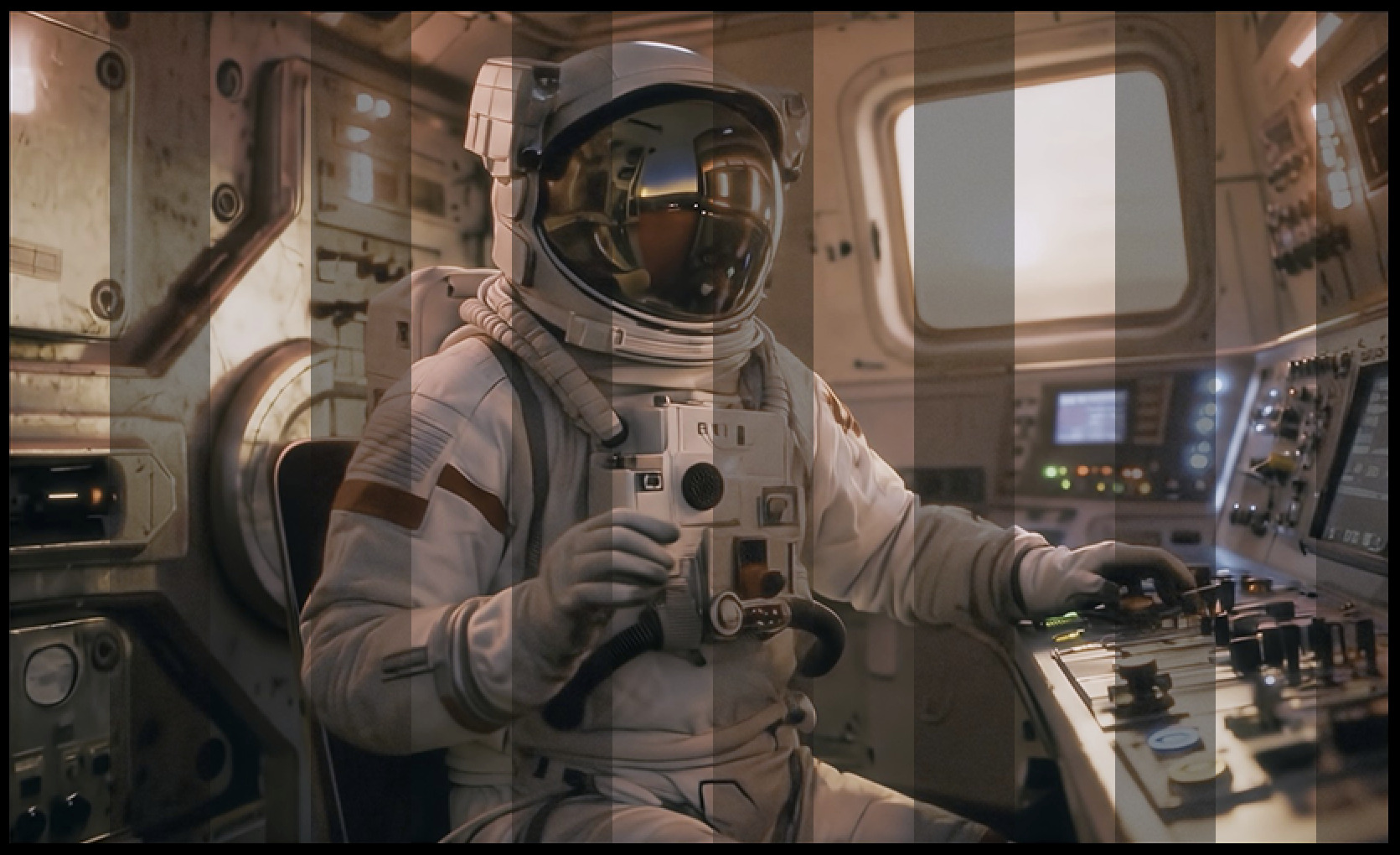
Hyperion 2 and 2.5 are similar with intent and most of the same requirements. Hyperion 2.5 is built and improved upon 2 for greater quality outputs. Please refer to the "About" section for both models.
Hyperion 2
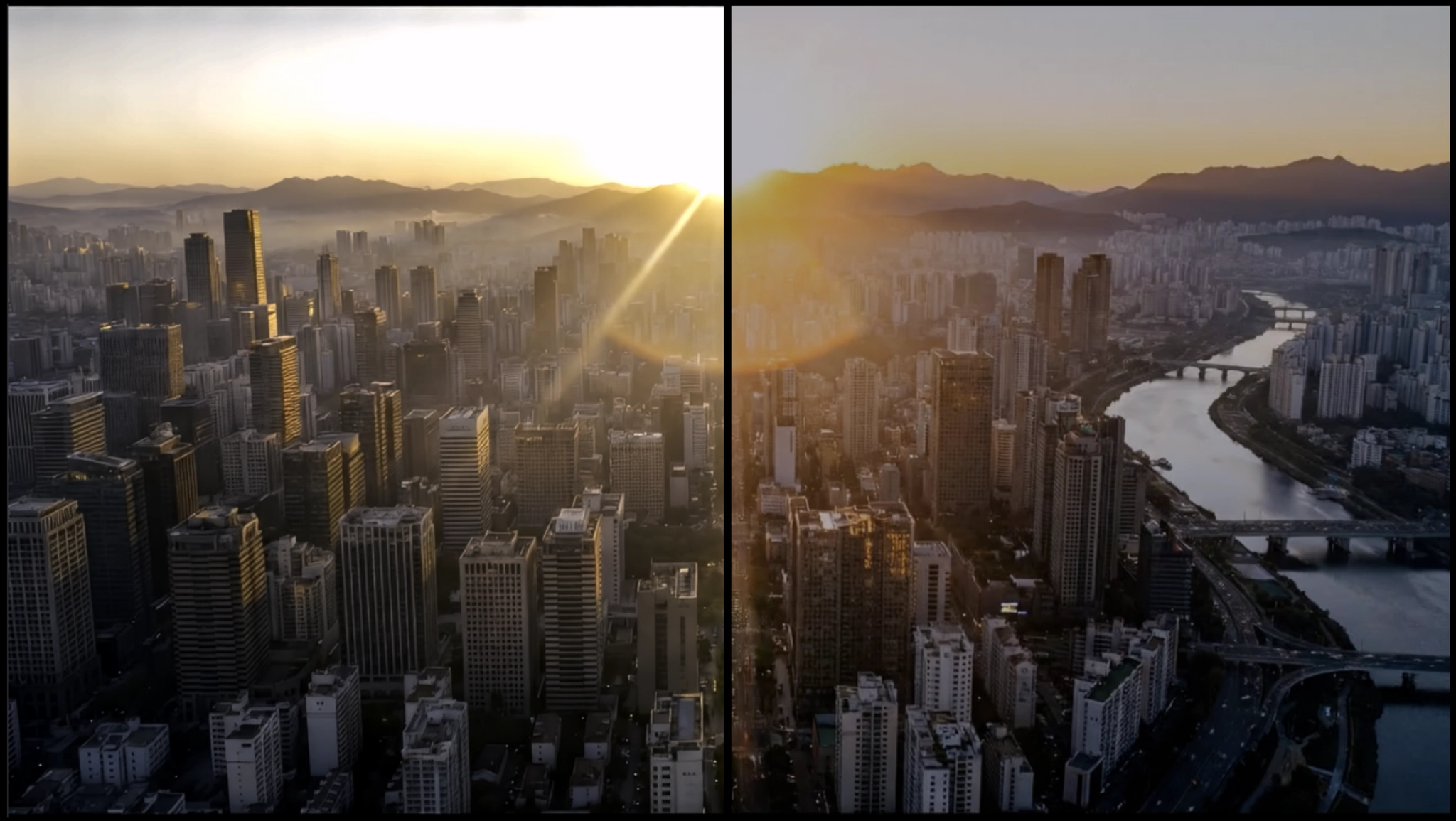
Hyperion 2 (available in release version 1.5-1.7), is a great update to our previous iteration. This version of the model now expands your color and nit value range even further! This is fantastic for wider spectrum manipulation for VFX Compositing and for modern viewing on HDR supportive displays!
Hyperion 2.5
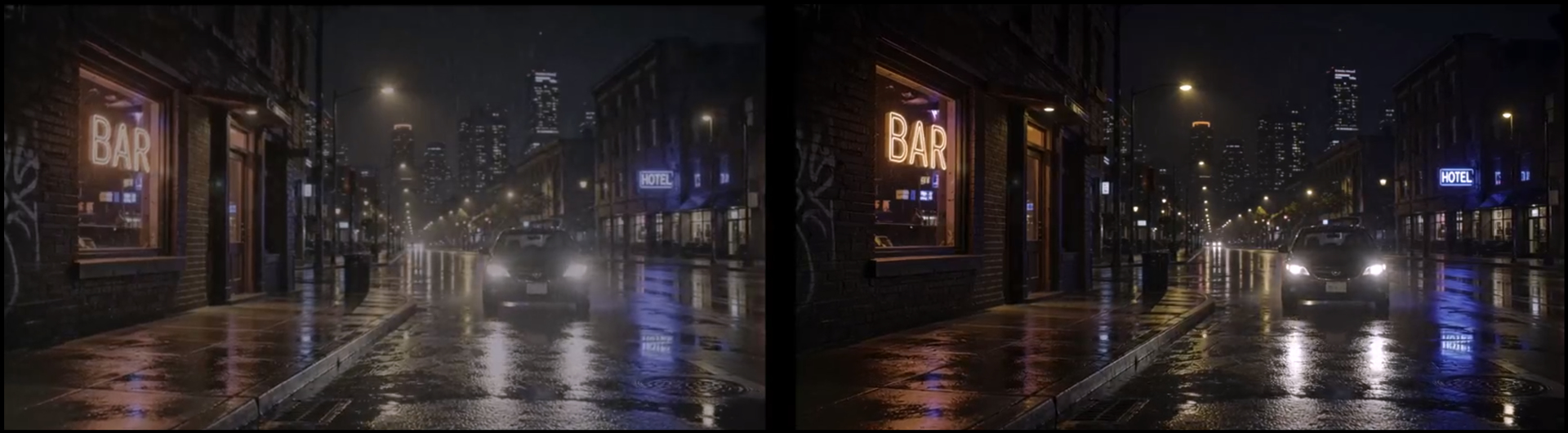
Hyperion 2.5 (available in release version 1.7.1-current). Hyperion 2 has been making a splash with it’s SDR to HDR enhancement that is being greatly enjoyed. Since then, we have been refining the model and now we have Hyperion 2.5. Hyperion 2.5 for SDR to HDR is our best version yet. This addresses the occasional ghosting-like artifacts and keeps the integrity of the original source intact. This update includes AMD/NVIDIA/MAC.
Many of the previous conditions from Hyperion 2 are still relevant. This model expands your color and nit value range for VFX Compositing and for modern viewing on HDR supportive displays! More details below.
Getting Started
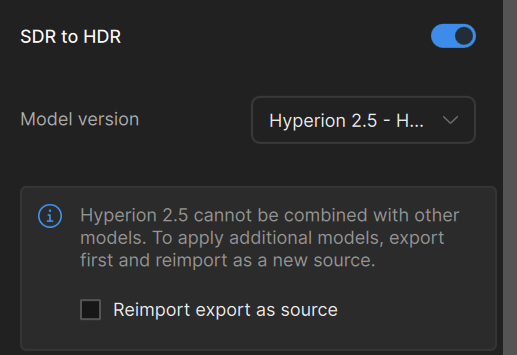
Hyperion 2.5 can be found under the SDR to HDR section. Make sure to chose the Model Version “Hyperion 2.5 -HDR”
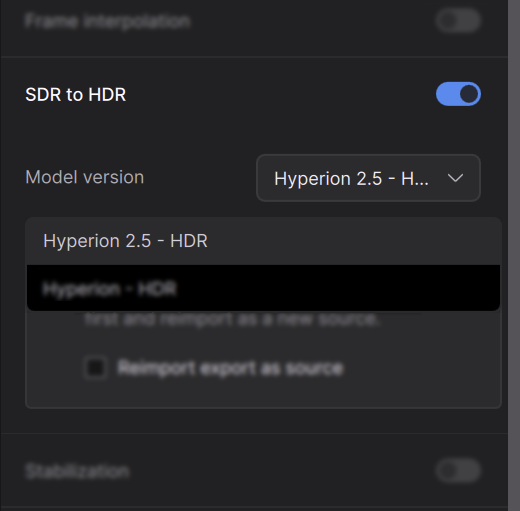
Please note that there are only two selections. It is worth noting that this can be reimported as source the if the button it checked.
About
- Converts 8-bit GenAI or archival video into HDR, high bit-depth media suitable for professional finishing pipelines.
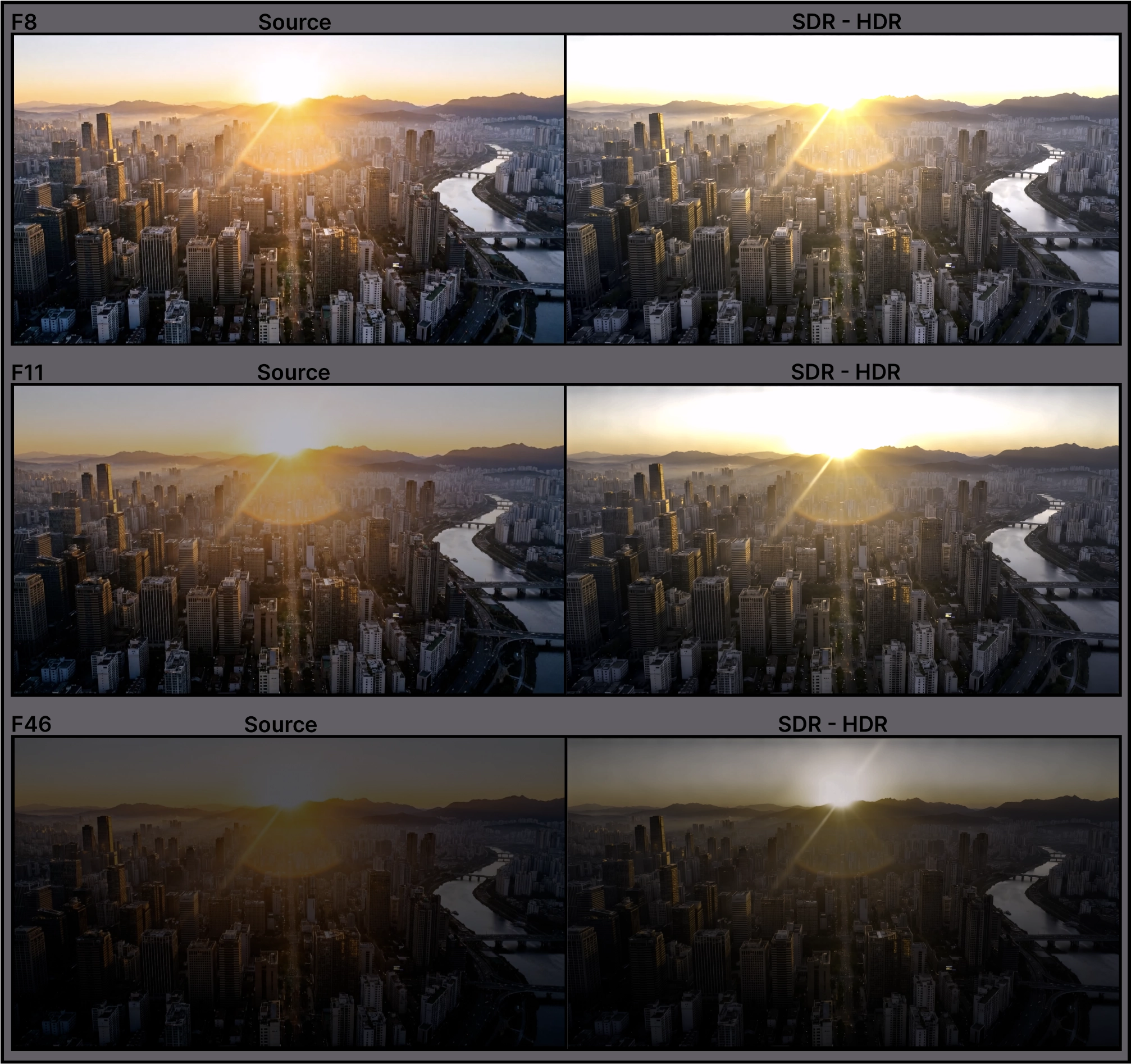
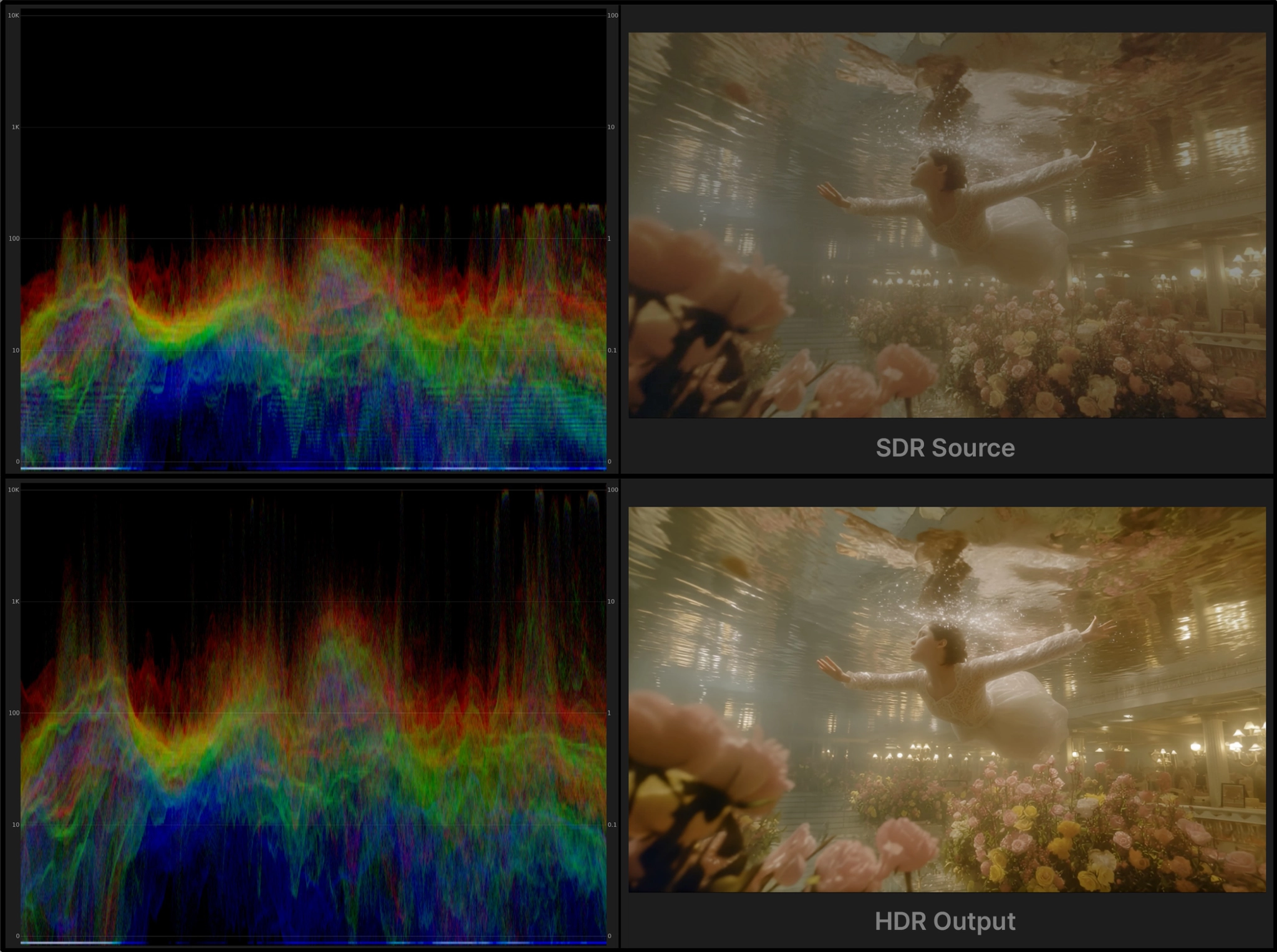
- Expands tonal range and color precision to provide significantly greater grading latitude in highlights, shadows, and midtones.
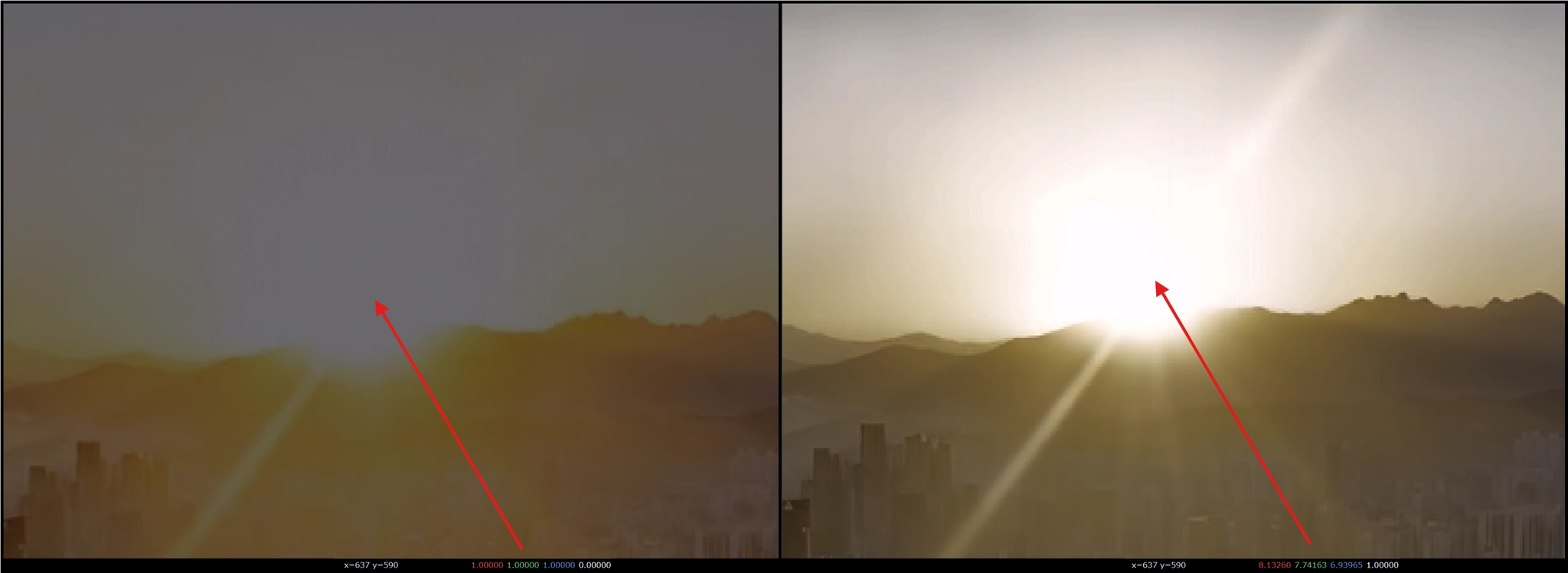
- Prevents highlight and shadow clamping often seen in standard range and native GenAI video sources.
- Overall, this provides wider range of nit values that equates to brighter and darker values.
- This is a 1x model. This is not an up-scaling model.
- Expands existing color opportunities/steps for professional compositing and color manipulation workflows.
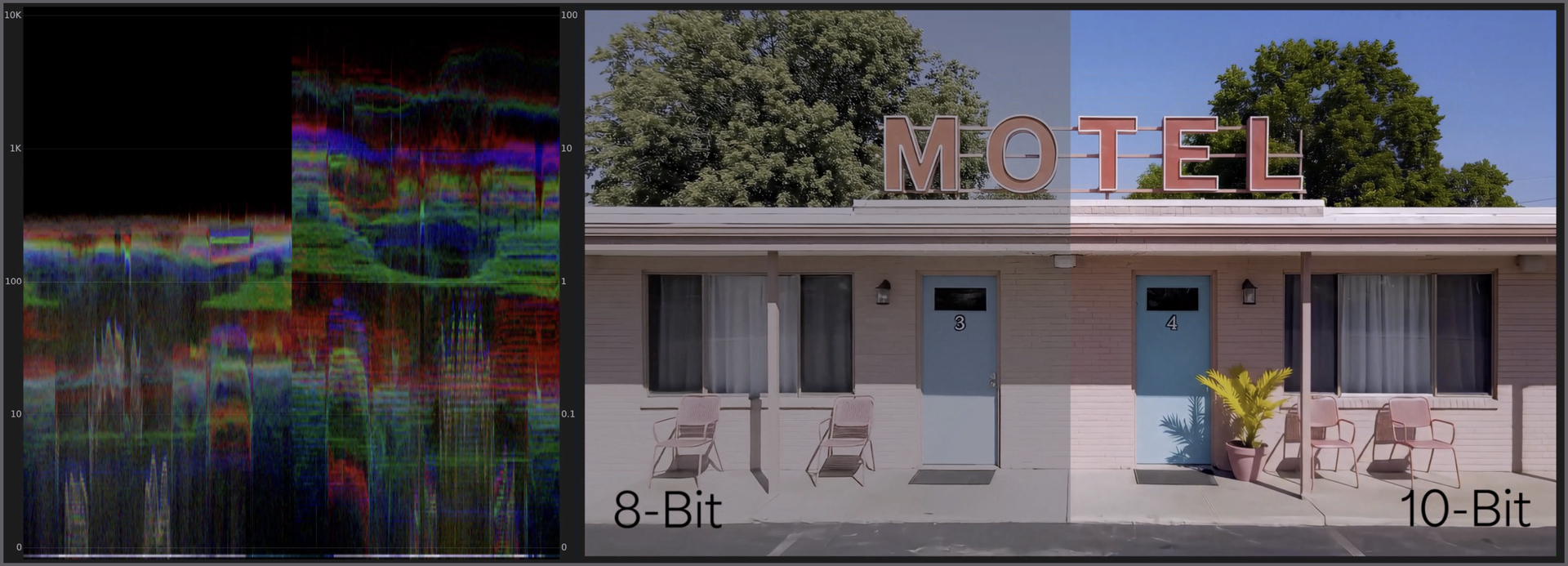
- The additional color opportunities greatly reduces visible banding and compression artifacts common in 8 bit renders.
- This makes it great for compositing, masking, keying, filtering, and advanced color work from natively 8 bit standard range media.
- Makes AI-generated or natively standard range footage viable for high-end episodic, streaming, advertising, and cinematic outputs.
- Supports modern HDR delivery standards required for premium streaming and broadcast platforms.
- This model does not introduce bleeding color or grid-like patterns to the result.
- Has great details with text and textures even during high motion blur areas.
- Export Video or Image sequences.
- Export ProRes video or EXR (Pro) image sequences.
- Support ACES color output with EXR (Pro) renders for better integration into industry-standard film and television pipelines.
- This works best for medium to high quality content.
- This model has some built in enhancements to revitalize and improve content.
- This version is an easy “one click” solution. There are no parameters to adjust.
- Max input and output resolution for this model is 3840x3840.
Things to Consider
SDR to HDR is a very adaptive tool and works on most types of footage. Please note, however, that this is creating HDR out of an SDR video, so there are a few things to consider.
- SDR to HDR does not operate well with interlaced footage. If you do have interlaced footage, it’s recommended that you deinterlace first before applying this tool.
- Though this model has some enhancement benefits additional enhancements with this SDR to HDR Model can be a great combo to reduce issues from source such as compression and artifacts for better results.
- Though you technically can apply the SDR to HDR tool to small-low quality footage, subtle approaches with the Hyperion AI Model may be the best for these types of sources. The more image data and resolution, the better starting point you have when applying this tool.
- Extreme cases of video with very muddy/dark imagery or very bright/blown out content, may produce limited results with the limited source range to build upon.
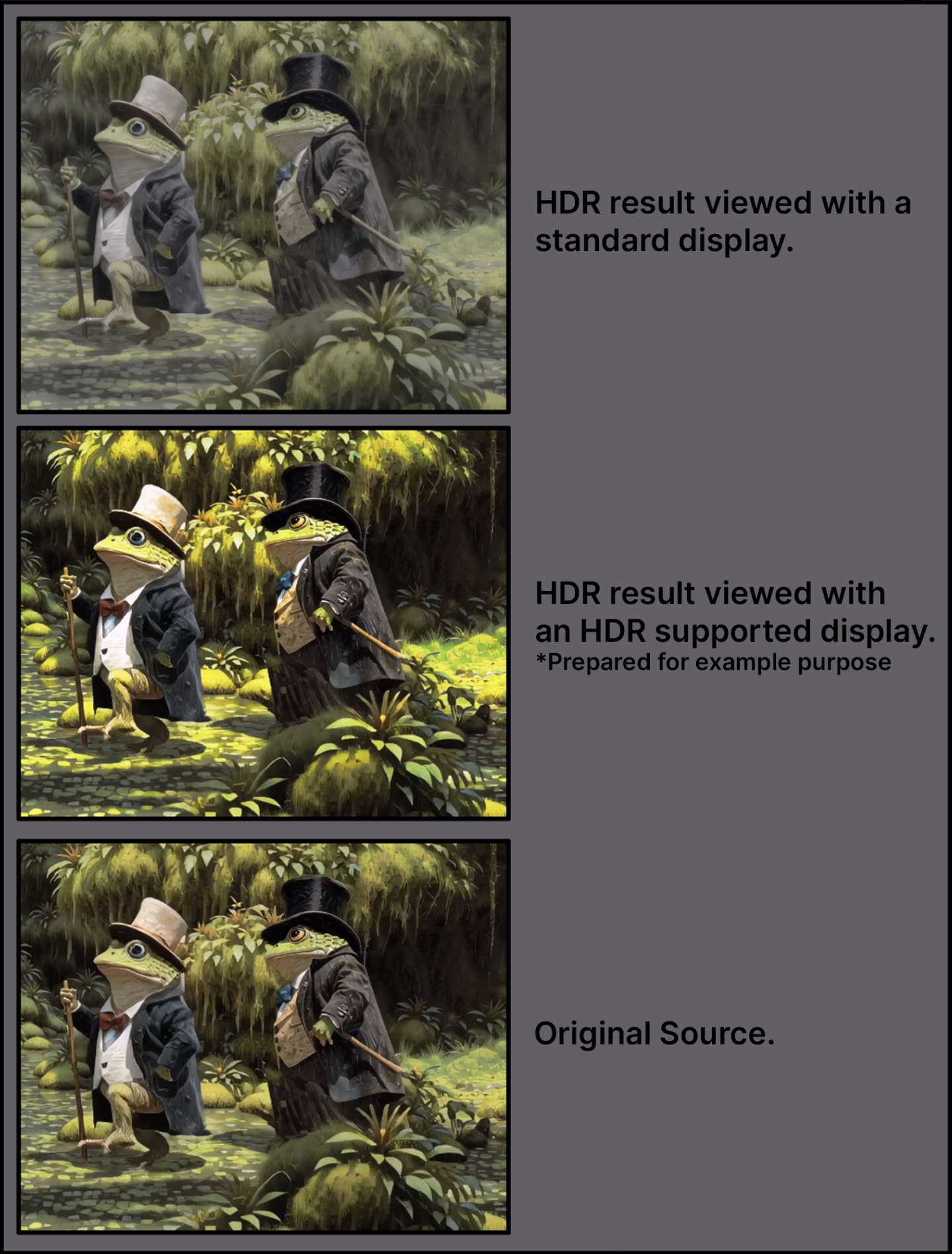
- An HDR display will be needed in order to view the results properly. Otherwise results will look washed out.
Technical things to know
Nvidia Requirements:
- Requires an absolute minimum of 12GB VRAM with 32GB CPU RAM, though 16GB VRAM is recommended.
- Targeted for GPU compute compatibility of 8.9. This is also the recommendation.
- Please note, though there might be some success with a CC of 8.6 cards, this is not technically supported and some may encounter a less ideal experience.
AMD Requirements:
- Requires an absolute minimum of 12GB VRAM with 32GB RAM, though 16GB VRAM is recommended.
Mac Requirements:
- Requires an absolute minimum of 16GB though 24GB is recommended.
- All Apple Silicon should be supported.
Compatible Codecs
- ProRes 422 HQ 10bit
- EXR 16bit (Pro only)
Colorspace Outputs
10-Bit ProRes (Cloud & Topaz Video Local Rendering)
- ProRes Primaries: BT.2020 PQ
- ProRes Transfer Function: BT.709
16-bit EXRs (Cloud Rendering)
- EXR Image Sequence: BT.2020, Linear
16-bit EXRs (Topaz Video Local Rendering -PRO)
- EXR Image Sequence: Aces 2065-1