Modes and Models (Legacy)
This document refers to a legacy app
Astra Modes Overview & Model Breakdown
This guide outlines the available modes and models in Astra, along with their intended use cases, controls, and current limitations.
Astra provides two primary enhancement modes, each designed for different workflows:
- Creative Mode → Stylized, expressive, AI-driven outputs
- Precise Mode → Realistic, detail-preserving enhancements

Creative Mode
Creative Mode is designed for stylized, expressive, and visually enhanced outputs. It prioritizes artistic quality over strict realism.
Available Models
- Astra 1
Highest quality model for creatively enhancing AI-generated videos. - Astra 2
Advanced creative enhancement model that allows users to control stylistic output through prompts and adjustable parameters, with built-in constraints for optimal rendering performance.
Flow & Features
Core Controls (Enhance → Creative → Astra 2)
When users select Creative / Astra 2, they get three controls:
- Creativity: controls creative strength on a 1-5 scale. Users can only select whole numbers.
- Sharpness: controls sharpness on a 1-5 scale. Users can only select whole numbers.
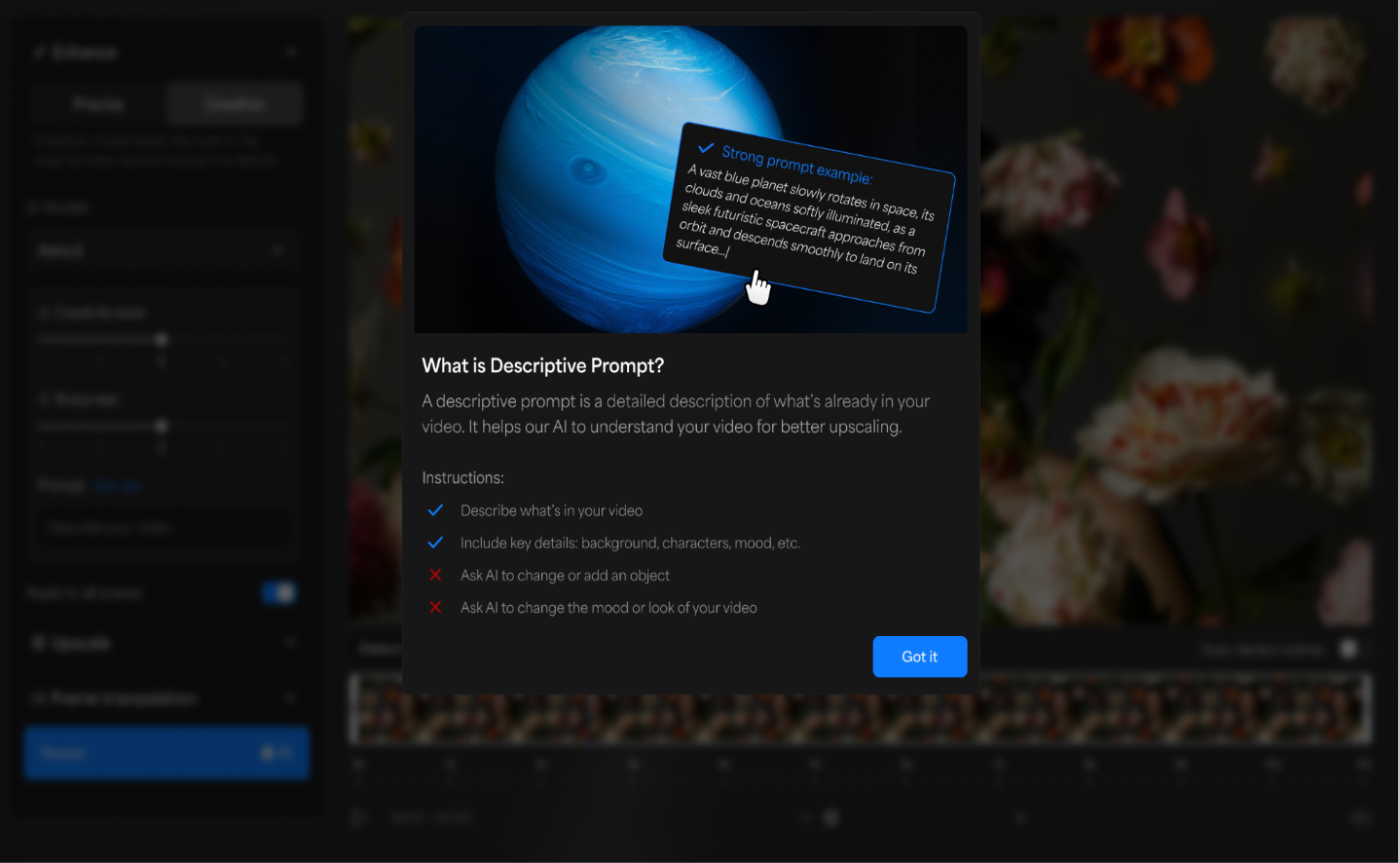
- Prompt: takes text input as a descriptive prompt, not an instructive prompt. “See tips” should help users understand how to write descriptive prompts.
UX/UI: Enhance / Creative / Astra 2 controls
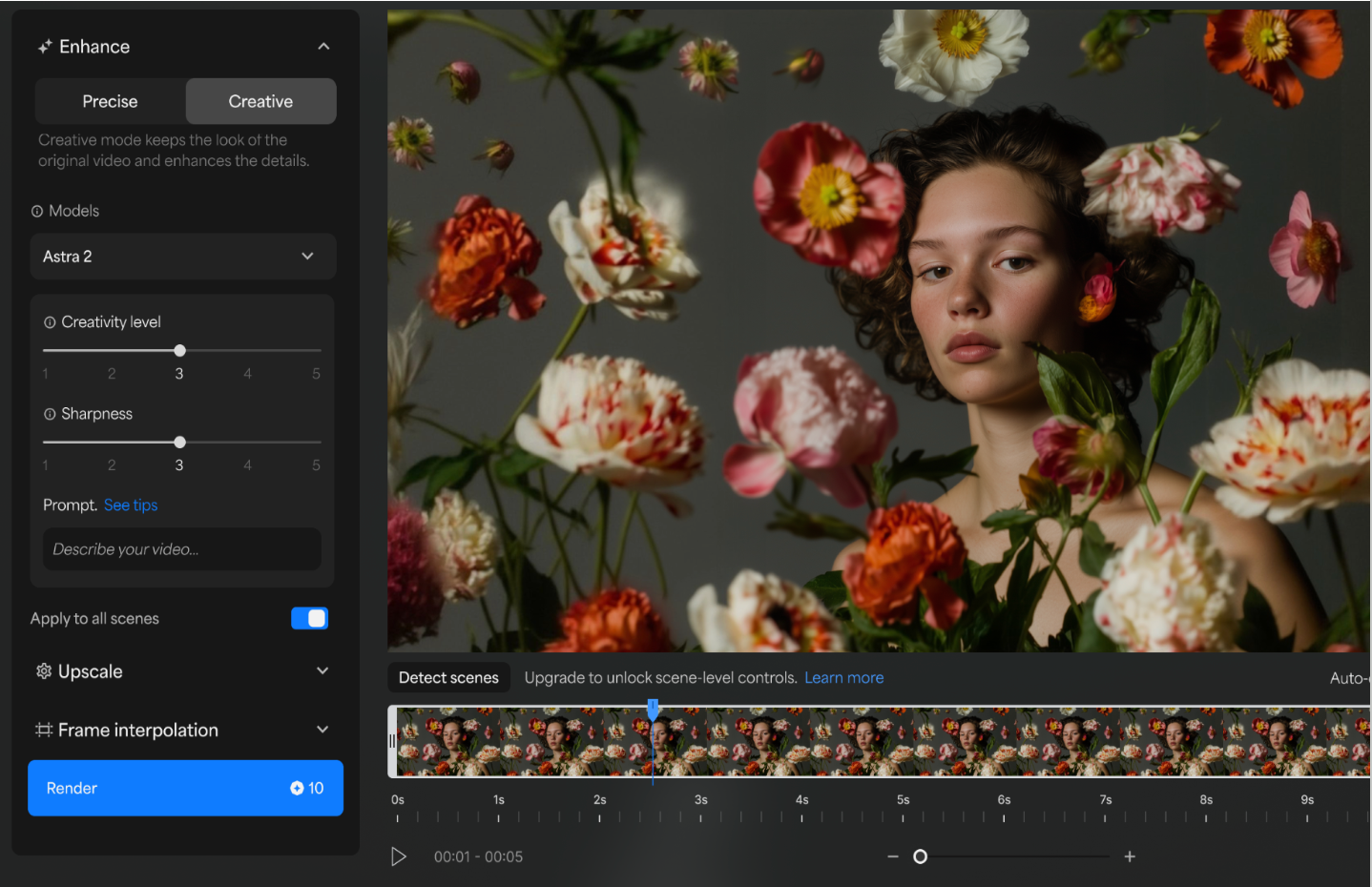
UX/UI: Enhance / Creative / Astra 2 / See tips
Prompt usage & Frame limit
The Astra 2 model has different frame limits depending on whether rendering is with or without prompts.
Frame limits:
- 9k frames without prompt
- 450 frames with prompt
Expected behavior:
- No prompt and <9k frames: render normally with AST-2
- Prompt and <450 frames: render normally with AST-2
- Prompt & >450 frames: users need to detect scenes or trim the video below 450 frames before rendering with AST-2
UX: Prompt & >450 frames
- Trigger: When a user uploads a video with more than 450 frames and then tries to add a prompt (i.e., clicks the prompt textbox), a pop-up will appear.
- Pop-up:
- Title: Prompt usage
- Body: Prompts can be used on videos with fewer than 450 frames (~15 seconds). For longer videos, detect scenes and apply prompts to individual scenes. Or render without prompts.
- Buttons: Cancel & Detect Scenes
- Scene detection:
- If a user clicks Detect Scenes, run scene detection and shift them into scene controls mode. The default model for all scenes will be Astra 2
- If an individual scene is longer than 450 frames, still allow it to render with a prompt.
Precise Mode (Starlight & Enhancement Models)
Precise Mode focuses on accuracy, realism, and detail preservation. It is best suited for professional workflows and high-quality restoration.
Available Models
Starlight Family
- Starlight Fast 1
(Formerly Starlight Speed)
First-generation model optimized for fast rendering - Starlight Fast 2
Faster performance with improved realism and sharper detail - Starlight Precise 2
High realism model, especially effective for faces and skin textures - Starlight Precise 2.5 (SLP-2.5)
Latest generation model focused on:- High-quality upscaling
- Texture fidelity
- Detail recovery across diverse content
Specialized Enhancement Models
- Proteus
All-purpose enhancement, sharpening, and cleanup - Starlight Mini
Designed for fast-motion scenes and restoring low-resolution footage - Rhea
Best for minimal motion content such as:- Interviews
- Product shots
- Texture-heavy scenes
- NYX
Reduces noise and grain while preserving original detail - Iris
Enhances faces in low-quality, interlaced, or compressed footage
What’s Coming Next
Planned enhancements include:
- Queue position visibility
- Estimated render time display
- Expanded format support
- Improved file validation and error messaging
- Dedicated archival restoration product (Restore)